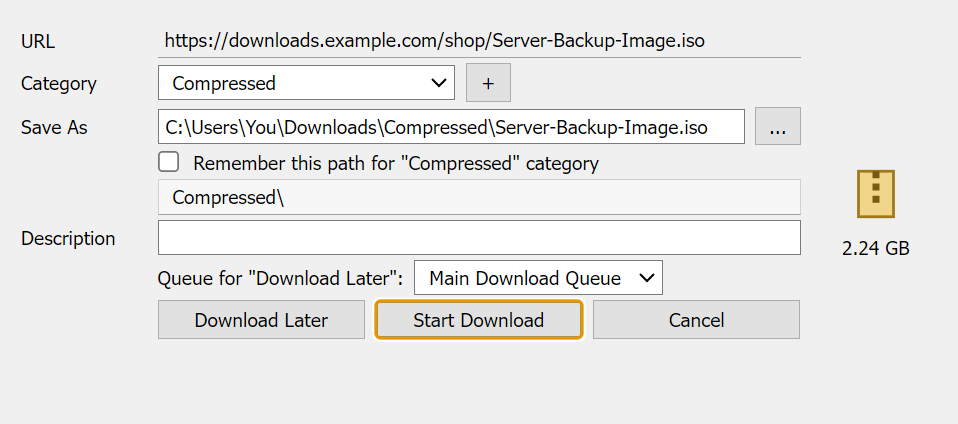
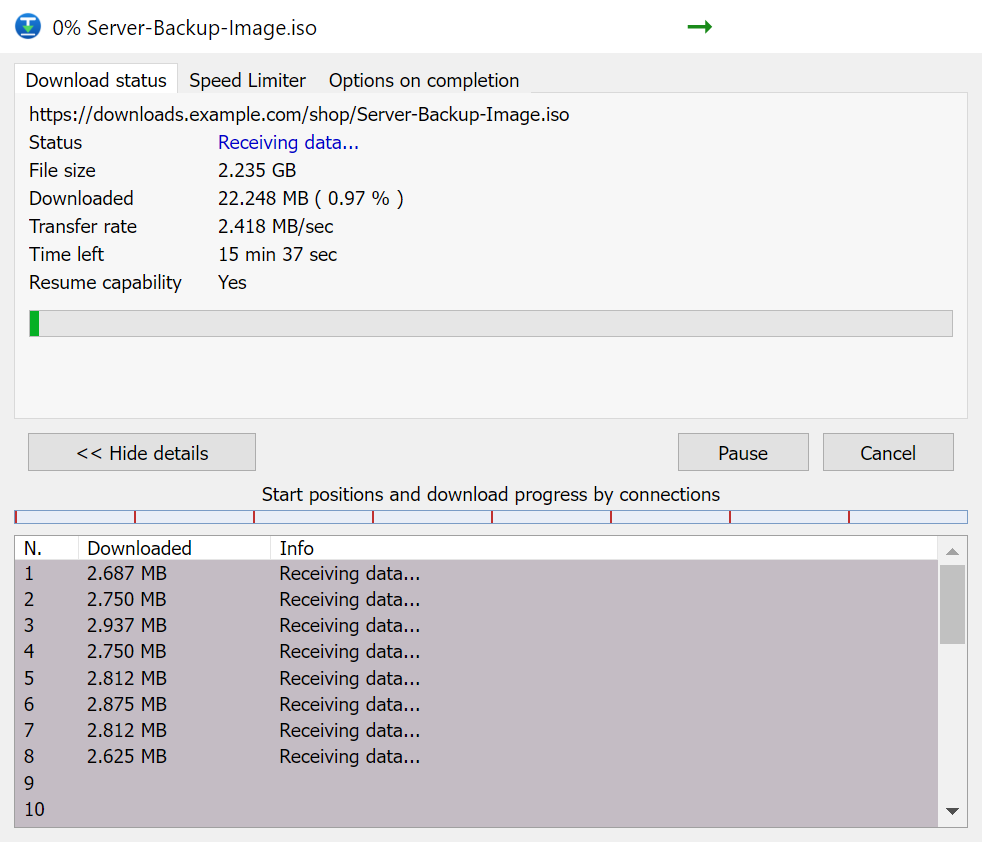
Splits every file into up to 8 parts and downloads them at the same time. Pause and resume any time — even after a broken connection or a restart. Saves videos from YouTube, TikTok, Facebook and many more sites straight from Chrome, Edge and Firefox.
Play a video and a small “Download this video” button appears on it. Pick the quality — TDM saves it with picture and sound joined, in the background.
Up to 8 connections per file, and the parts keep sharing the work until the file is finished.
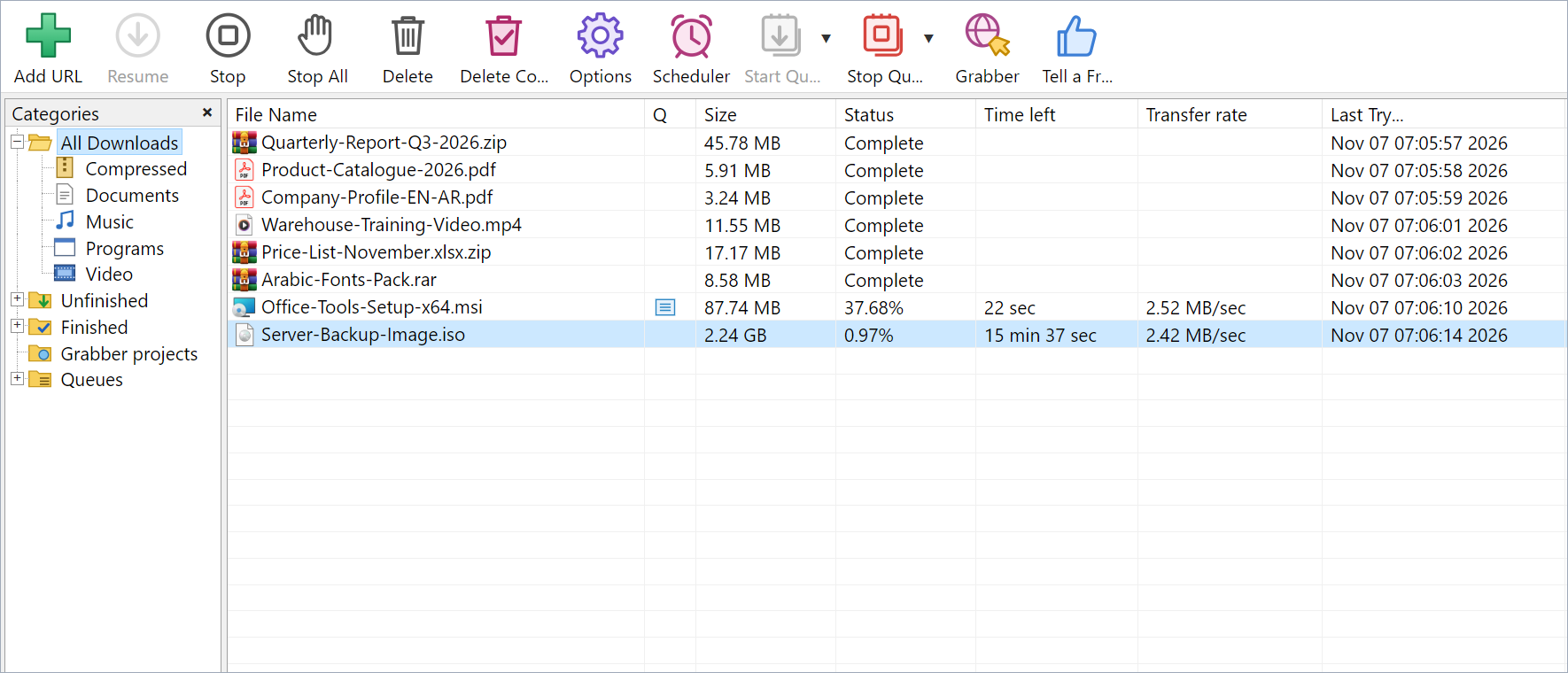
Stop a download and carry on later from where it stopped — after a lost connection, sleep or a restart.
Downloads from Chrome, Edge, Firefox and Brave open in TDM automatically. Hold Alt to let the browser download instead.
YouTube, TikTok without the watermark, Facebook, Instagram, X and more — pick the quality, picture and sound joined.
Start downloads at night, stop when they finish, and run several queues with their own limits.
Keep the office line free: set a maximum speed, turned on by itself when TDM starts if you like.
Collect all the files of a type from a web site — pictures, documents or archives — in one go.
Files go into Compressed, Documents, Music, Programs and Video folders by type.
The whole program, the help manual and the menus in both languages, right-to-left in Arabic.


The installer finds the browsers on your PC and adds the TopBusiness DM add-on to them for you — one ticked box, no extra steps.
TDM checks for a new version once a day and shows a one-click Update. The YouTube video engine refreshes on its own, so video downloads keep working without reinstalling. Your downloads and settings stay as they are.
Yes. Click “Download this video” on the TikTok video — the lines marked “no watermark” are the clean copies TikTok keeps; “with TikTok watermark” is listed last.
Some videos are shown only to signed-in people. Sign in to that site in the same browser, reload the page and click the button again — TDM uses your browser’s sign-in on your PC only.
Play the video first. On a feed, open the post or video on its own page if the button is not shown. Check the add-on is turned on in your browser’s Extensions page.
Open your browser's Extensions page and check that “TopBusiness DM Integration Module” is turned on. In TDM, open Options › File types and check the type of file is in the list.
Hold the Alt key while you click the link. To stop TDM catching a site at all, add it to Options › Sites not to catch.
That is how Windows browsers show an add-on that was added for you by an installer. You can still turn the add-on off on the Extensions page. Uninstalling TDM removes it.
Enter the registration code from your licence in Help › Registration. Your download list and settings stay. One licence covers up to 4 computers, for life.
No. The add-on talks only to TDM on your own PC. Read our privacy page.
Every feature, no sign-up, no card. Install it, and the next download goes faster.
One licence covers up to 4 computers. Never pay for updates and upgrades again.